Automate what slows your company down
We review the tasks your team repeats by hand and connect the tools you already use. We start with the work that takes the most time and assess where AI could help.
AI process automation
You show us how the team works, we measure the time each process takes and choose one to automate first. Connecting two tools may be enough. For classifying documents, extracting data or drafting replies, we assess whether AI with human review would help.
Automating the back office of a small or mid-sized company
Tasks we can automate
The work that one person repeats every week: copying data between spreadsheets and the ERP, issuing and reconciling invoices, chasing the same information by email, building the monthly report, re-keying an order that already exists in another system. These are the tasks that cost hours and produce errors, and they are the ones worth measuring first.
Measure before you automate
We go through each task with your team and measure how long it takes. That lets us compare the cost of automating it with the hours it could save. The audit also helps identify steps that can be simplified or removed.
Adding AI without replacing your ERP
We look at how to connect the tools you already use. Some tasks can be handled with integrations and scheduled jobs. For others, such as classifying documents or extracting invoice data, AI may help. A person reviews the output.
Getting your data ready for AI
First we need to know where each piece of data lives, which system keeps it up to date and what information is duplicated. We review that with you so the automation works with the right data.
Who maintains it afterwards
An automation can fail when a process changes, a supplier updates its API or someone modifies a spreadsheet. Before building it, we agree who monitors it, who fixes it and how to request changes.
Operations work we have shipped
- The Power Plugin: operations panel with orders, multi-currency billing, incidents and fraud review
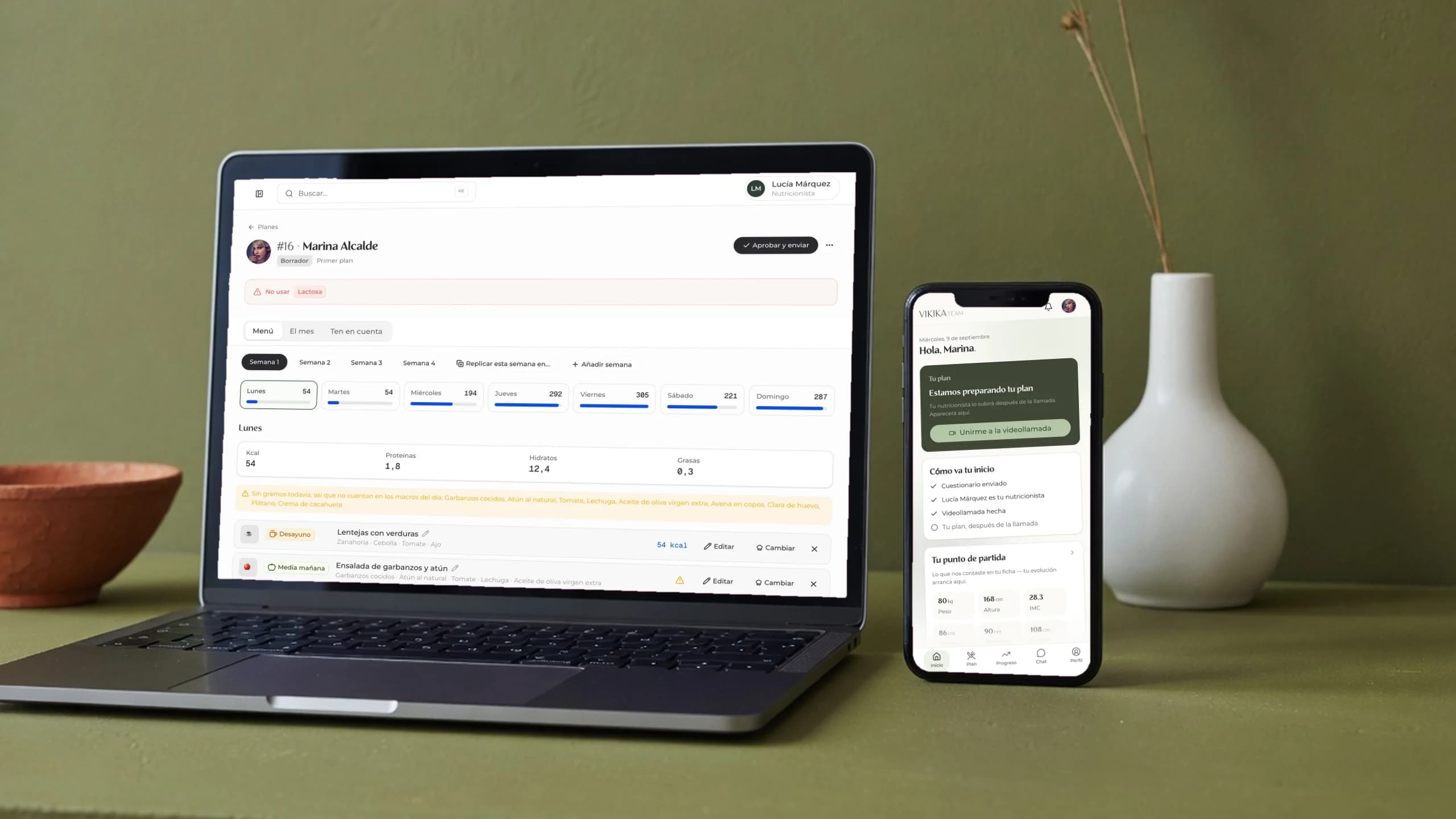
- Vikika Team: replacing spreadsheets, PDFs and WhatsApp with one internal platform
Questions before automating a process
How much does it cost to automate a process?
A process audit is a €3,000 workshop that maps your manual tasks and the hours each one costs. Building the automations is quoted from that map: a closed project starts at €6,990, and continuous work is €4,990 per month. We do not quote a build before the audit, because the price depends on the systems involved.
Can I use AI without changing my ERP or management software?
In many cases, yes. We first check your ERP's integration options: an API, database access or exports. That tells us what can be connected and whether any tools need changing.
My back office has not been updated in ten years. Where do we start?
Show us how the team works today. We review the steps, the systems involved and where the time goes. Then we choose a first task to automate.
Do I need clean data before using AI?
The audit helps us understand what data you have and what needs organising. We can start with that review and assess AI features afterwards.
How long before we see the saving?
It depends on the process and the tools we need to connect. We start with a task whose duration we can measure before and after. With that scope, we can estimate the timeline and the time it could save.
Who maintains the automations when our process changes?
Decide this before you build. A maintenance plan covers monitoring, incidents, dependency updates and a monthly allowance for changes, from €1,490 per month. Ad-hoc work is billed at €250 per hour.
Projects with this service

Ways to work with us
Choose the service and whether you need a one-off project or monthly support. Subscriptions have no minimum term.
One Shot(from)
Design and development of a first release. Allow 6-8 weeks, depending on scope.
- Design and development: allow 6-8 weeks
- Production code in GitHub
- Technology chosen for your project
- Automated deployment
Frequently asked questions.
Timelines, deliveries and how we work together.
When can we start?
We start within 48 hours of the first call. We organise the project, give you Slack access and work on the first deliverable that week.
What does the monthly subscription include?
You can request web and app design, design systems, prototypes, presentations, sales materials, ad creatives, emails, consulting, UX and accessibility reviews, and documentation. The AI development plan also includes coding. You set the priorities; Pro covers one active project at a time, while Enterprise supports several in parallel.
Who owns the code and designs?
You own them from day one. The code is in your GitHub repository and the designs are in your Figma account. The intellectual property belongs to you.
When does an external team make sense?
When you need to make progress before you've hired every role, or your team needs help with a specific project. With Productea, design and development work together. You set the priorities and can adjust the plan to your workload.
How long does a delivery take?
Design deliveries usually take a few days. For a first release with development, allow 6-8 weeks. The timeline depends on scope and we agree it with you.
Can I pause or cancel anytime?
Yes. No commitment, no penalties. Pause your plan if you have a quiet month and resume when you need us again. Remaining days carry over.
How do you use AI in development?
We use Claude, Cursor and workflows adapted to the project. AI supports implementation and testing; senior engineers define scope, review the code and approve releases.
Do you sign NDAs?
Yes. We sign the NDA your legal team prefers before the project starts.
When do I need Enterprise instead of Pro?
Enterprise fits when you need to work on several projects, brands or products at once, or need more delivery capacity. Pro covers ongoing work on one product.




Tell us what you need
to build.
Book a free call to go through the project and see how we can help.